
Cloud Migration · Kuala Lumpur
Moving your business to the cloud, at a pace that suits you
We help small offices in Malaysia shift from local files and software to cloud tools — in careful stages, with backups at every step and plain-language guidance throughout.
Our Services
Three ways we support your move
Whether you are still weighing the idea, ready to begin moving, or looking for ongoing support after the transition — we have a service sized to where you are right now.

Cloud Readiness Assessment
A measured first step for owners weighing a move. We review your current setup — where files live, how the team shares them — then outline a calm, low-disruption path forward with a fitting tool shortlist.
- Full review of your current file and software setup
- Short readiness note with clear findings
- Shortlist of tools that fit your work style

Guided Migration & Access Setup
For businesses ready to move. We plan the transition in careful stages, transfer files with backups at each step, and set sensible sharing permissions. Includes two hands-on sessions and a handover guide.
- Staged file and software transfer with checkpoints
- Backup at every stage of the move
- Two hands-on sessions + written handover guide

Cloud Care & Quarterly Review
Ongoing support after the move. Each quarter we review access, backups, and storage tidiness, and suggest improvements as your needs change. Covers priority support and a tailored review note.
- Quarterly access and backup review
- Priority support throughout the year
- Tailored review note each quarter
Why it matters
What a careful migration actually gives you
A well-planned move to the cloud is less about technology and more about freeing your team to work without friction.
Files reachable from anywhere
When documents live in the cloud, your team can open and update them from the office, from home, or on the go — without emailing versions back and forth.
Backups that actually run
Cloud storage keeps copies automatically. There is no need to remember a manual backup routine or worry about a hard drive failing at the worst moment.
Cleaner team collaboration
Shared folders and sensible permission settings mean everyone sees what they need, and nothing they should not. Less confusion, fewer duplicate files.
Simpler day-to-day IT
Cloud tools update themselves and need far less local maintenance than on-premise software. Your team spends less time on technical upkeep.
Storage that grows with you
You pay for the storage and seats you actually use. As the business grows, adding space or users is a straightforward process rather than a hardware project.
A move done in stages
We do not ask you to flip a switch and change everything overnight. Each stage is checked and confirmed before the next begins, so your work continues without long interruptions.
Ready to take the first step?
Have a conversation before you commit to anything
An initial consultation costs nothing. We listen to how your office works today and tell you honestly what a move would look like for your situation.
Questions & Answers
Things people often ask us
Do we need to stop working while the move happens?
What happens to our files if something goes wrong during the transfer?
How long does a typical migration take?
Which cloud tools do you work with?
What if our team finds the new tools difficult to use?
Is my business data safe during and after the move?
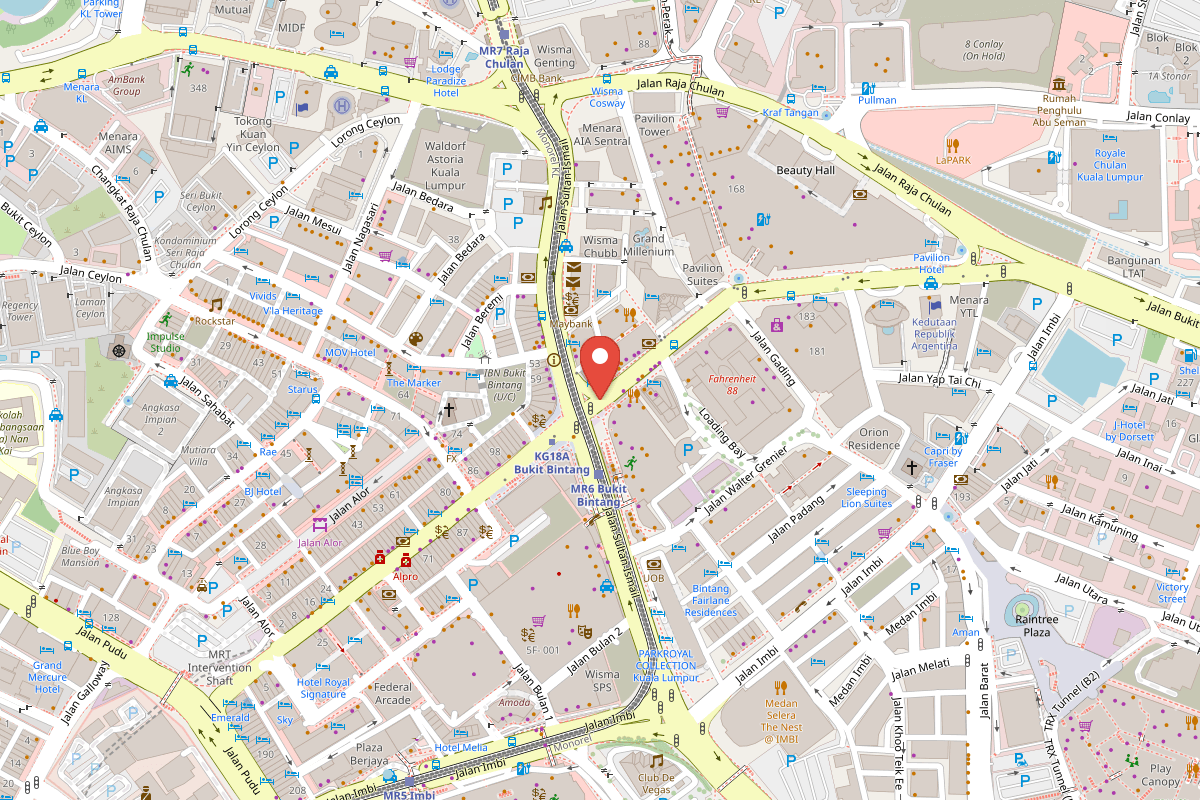
Our Office
Find Us in Kuala Lumpur
Jalan Bukit Bintang, 55100 Kuala Lumpur
Contact
Get in Touch
Tell us a little about your current setup and what you are hoping to change. We will respond within one working day.
Contact Details
Phone
+60 3-9283 4617Address
Jalan Bukit Bintang
55100 Kuala Lumpur
Office Hours
Mon – Fri: 9:00 am – 6:00 pm
Sat: 9:00 am – 1:00 pm